Built for Shopify merchants Shopify App Store Contact us
Banify
NEW APP Coming soon · October 19, 2026

BA Referral Program & Loyalty Rewards

Turn customers into loyal brand advocates.

An all-in-one loyalty, rewards, referral and VIP program for Shopify. Instead of relying on discounts to acquire customers, build a complete rewards experience that gives them a reason to return, engage, refer friends, earn points, unlock tiers and redeem rewards.

Referrals · Loyalty points · VIP tiers · Analytics

Launching October 19, 2026 Compare all four apps

Why this app

A reason to come back, not just a discount

Every store is different. Some merchants want a simple referral program; others want a full loyalty economy with points, rewards, VIP tiers and multiple touchpoints. This app gives you the parts and lets you decide which to switch on.

◆Referral programs
◆Loyalty points
◆Ways to earn
◆Ways to redeem
◆VIP tiers
◆Customer loyalty management
◆Multiple storefront placements
◆Post-purchase rewards
◆Customizable widgets and designs
◆Flexible program settings
01

Referral Program

They refer, both get rewarded.

A customer refers a friend, the friend receives a reward, and the referrer is rewarded too. Configure each side independently — 10% off the friend’s first order, 15% off for the referrer once it completes. Shared by WhatsApp, Facebook, X or email, with every word, colour and button editable.
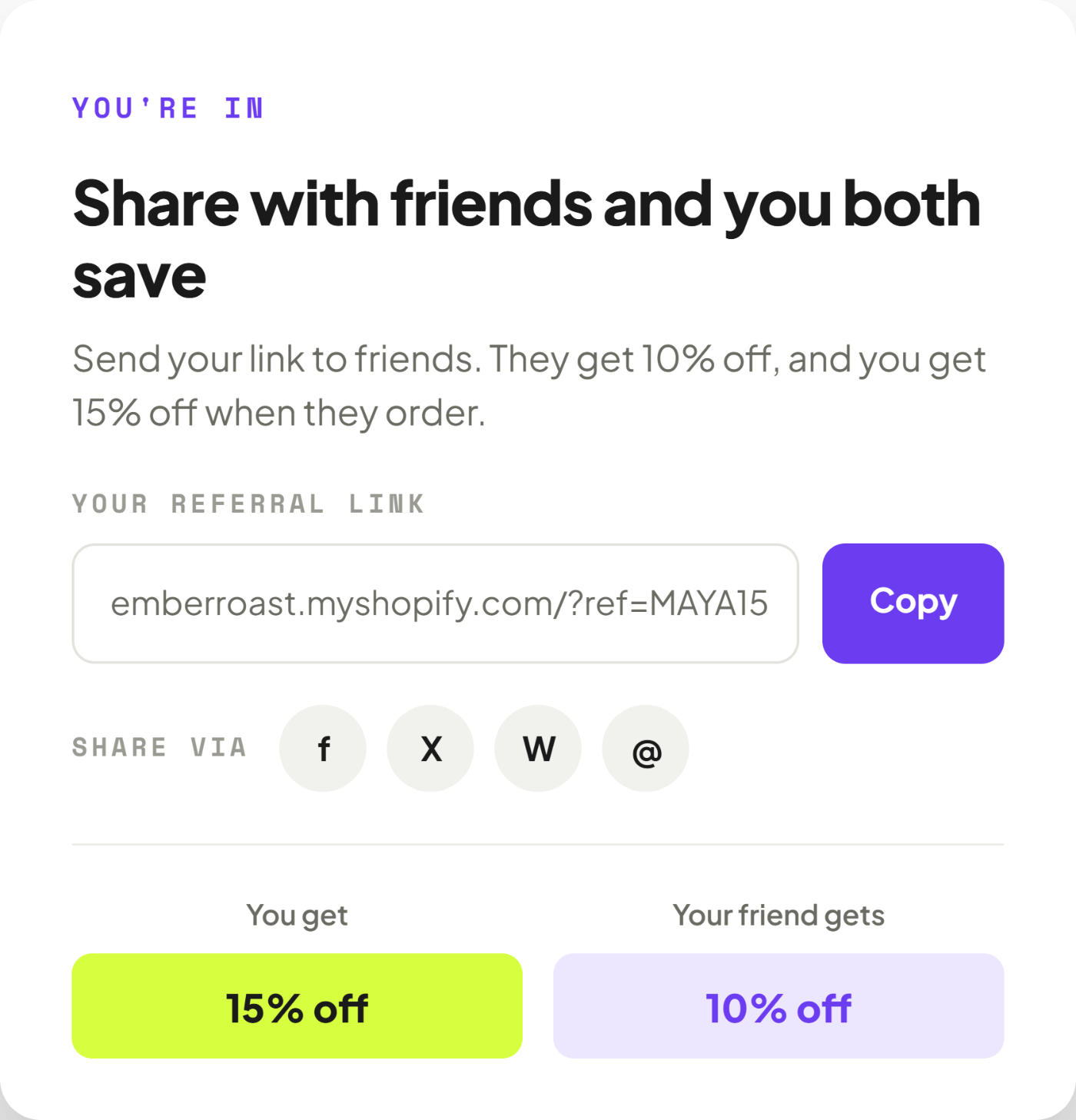
A referral card reading “Share with friends and you both save”, with a copyable referral link, share buttons for Facebook, X, WhatsApp and email, and reward panels showing 15% off for you and 10% off for your friend
The referrer’s share screen, with the link and both rewards.
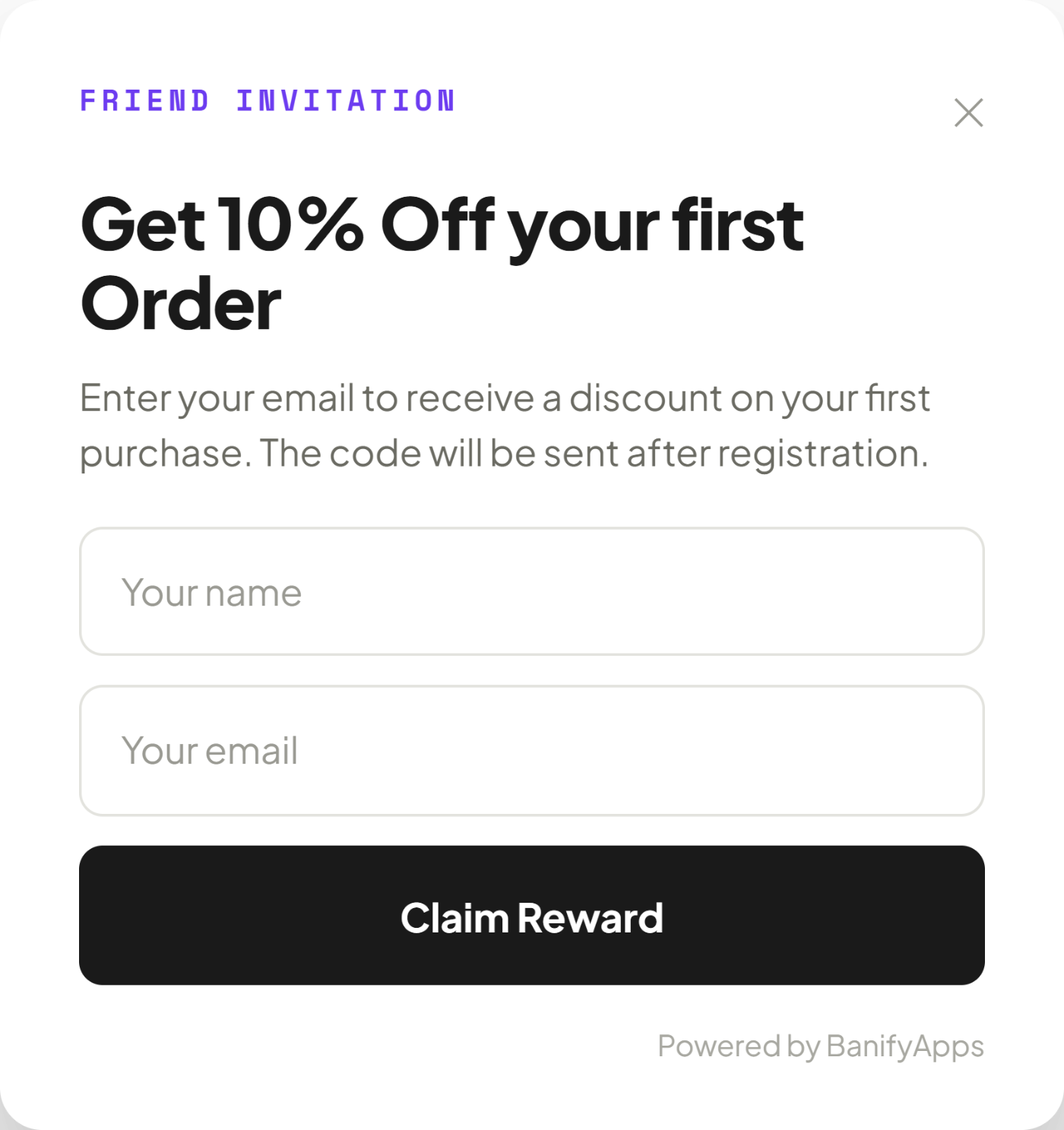
A friend-invitation popup reading “Get 10% Off your first Order” with name and email fields and a Claim Reward button
The storefront referral popup the friend sees.

Two ways to run it

Referral popup

Shown on the storefront, encouraging customers and visitors to share, with the benefit to both sides stated plainly.

Post-purchase referral

After checkout, on the order status page — the moment a customer is most willing to recommend you.

02

Loyalty Points

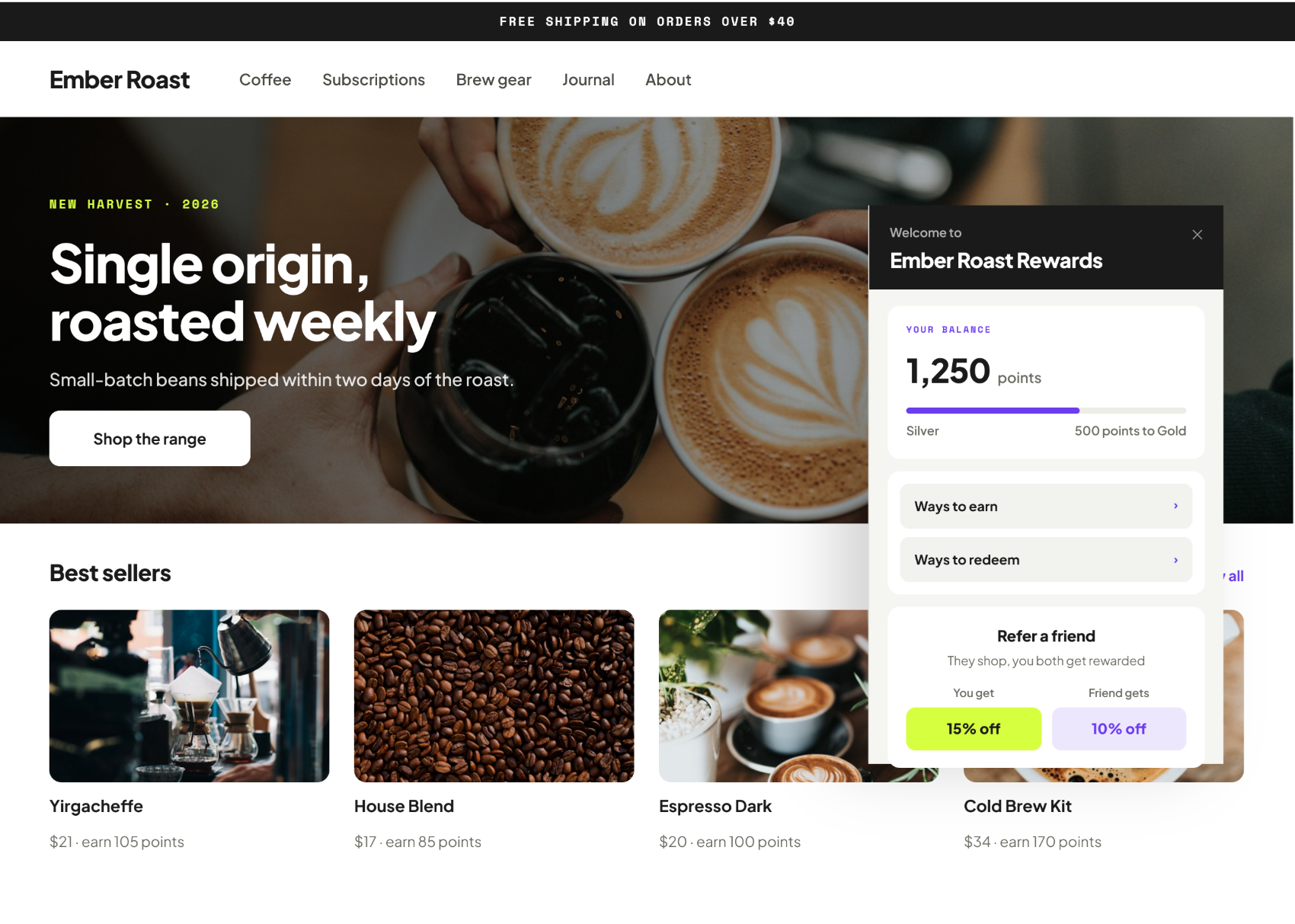
Set up how customers earn points and the rewards they can redeem. Every method can be enabled, disabled and repriced — or add a custom one of your own.

EARNING METHODS

Sign up

100 points for creating an account

Active

Place your first order

300 points for a first completed order

Active

Place an order

5 points for every order after that

Active

Daily visit

20 points for visiting your store

Active

Celebrate a birthday

500 points once a year

Active

Referral

300 points for a completed referral

Active

Write a review

10 points for a product review

Active

Subscribe to our newsletter

200 points for joining your list

Inactive

Follow on Instagram

125 points for a follow

Inactive

Plus follows, likes and shares on Facebook, TikTok and X, link visits, and any custom action you define.

A working preview of the app admin — switch tabs to see earning and redemption methods. Point values shown are examples.

03

Redeemed in the cart

Rewards apply without leaving checkout.

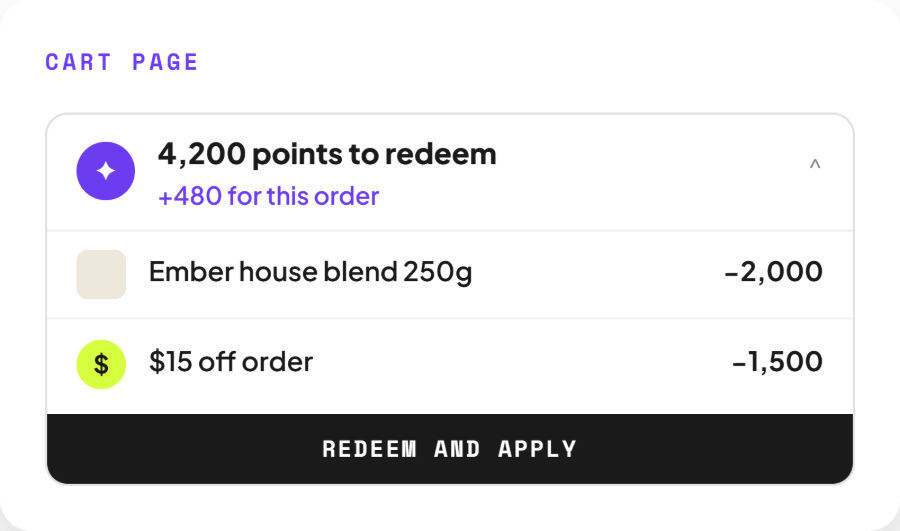
Customers see their balance in the cart, redeem against the order, and earn points on the same purchase. Discounts, free products and free shipping are applied automatically, so nobody has to copy a code across from an email.
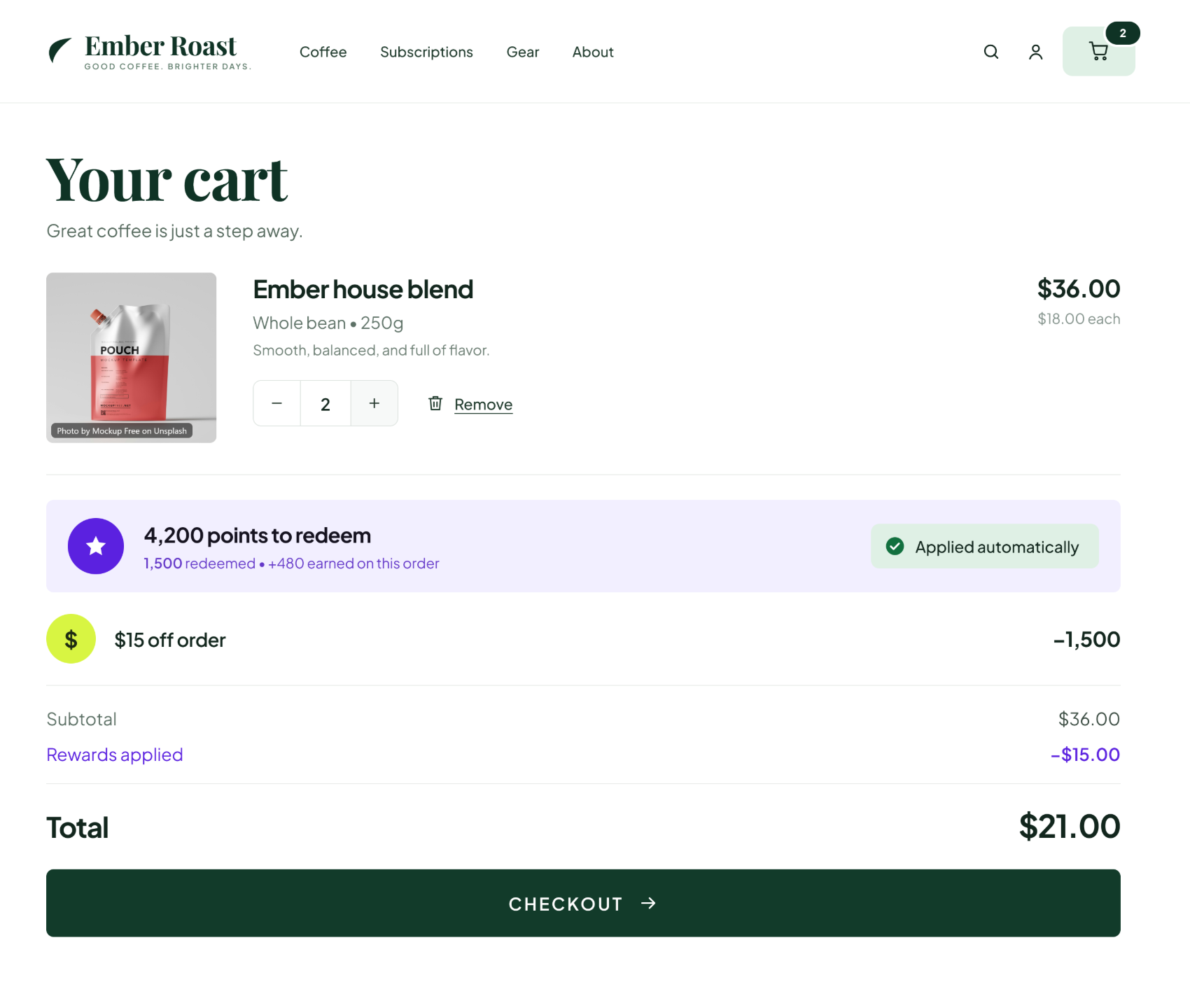
An Ember Roast cart page showing 4,200 points to redeem, 1,500 redeemed and 480 earned on this order, a $15 off order line applied automatically, and a total reduced from $36.00 to $21.00 above a checkout button
Balance, redemption and points earned, in one place.
04

VIP Tiers

Customers climb tiers as they earn points or spend, unlocking perks at every level. Use Bronze through Diamond or build your own, and give each tier its own benefits.
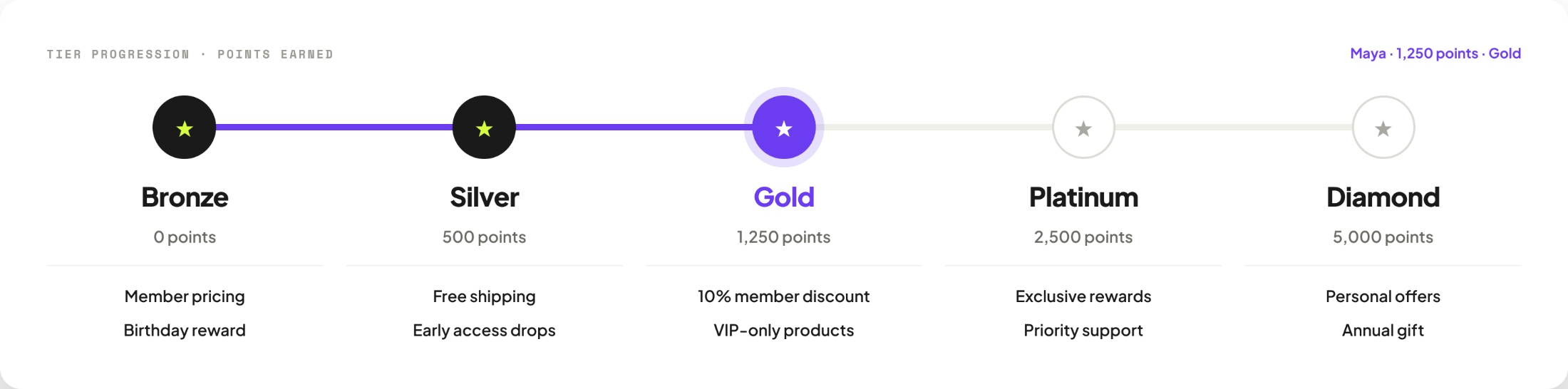
A tier progression bar from Bronze at 0 points through Silver at 500, Gold at 1,250, Platinum at 2,500 and Diamond at 5,000, each with its own perks listed beneath
Thresholds, names, perks and the number of tiers are all yours to set.

05 — Storefront placements

One program, every touchpoint

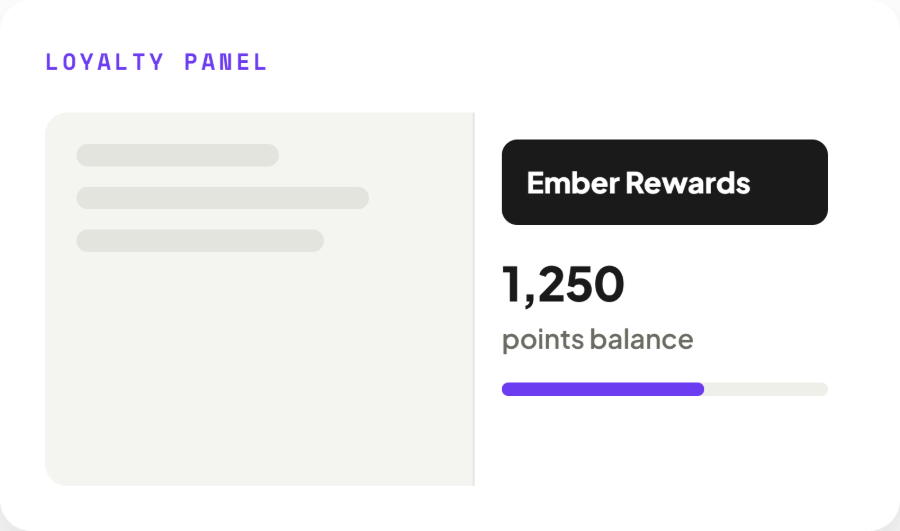
Loyalty shows up where your customers already are — a floating button, a slide-out panel, product and cart pages, a dedicated landing page, the customer account, and the thank-you page after checkout.
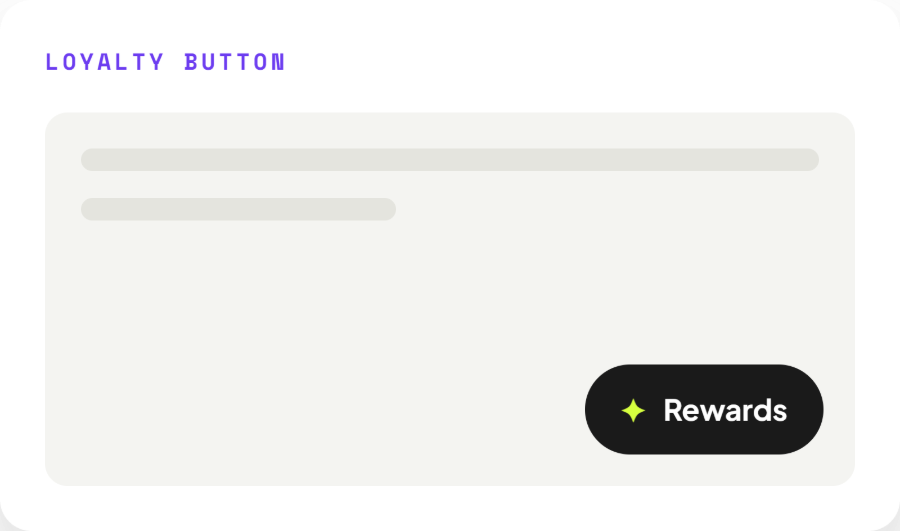
A floating Rewards button in the corner of a storefront page
Loyalty button
A slide-out panel showing an Ember Rewards points balance of 1,250 with a progress bar
Loyalty panel
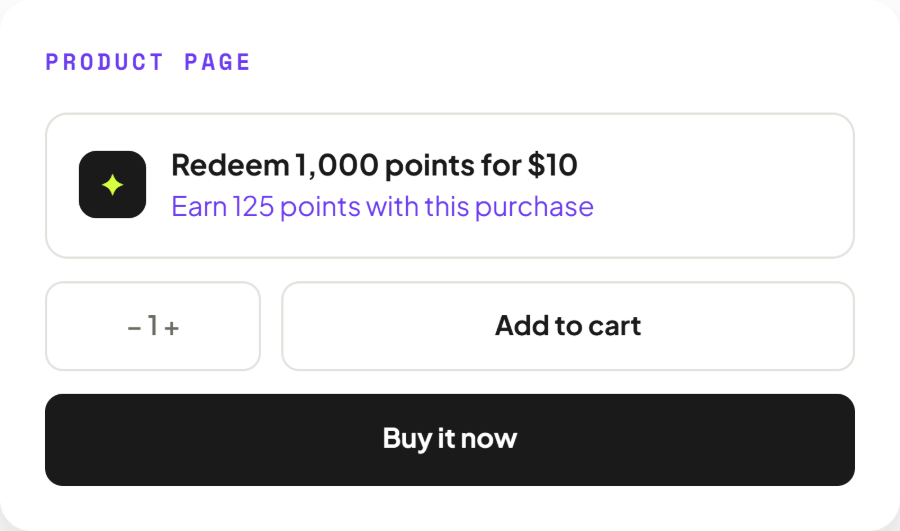
A product page block offering to redeem 1,000 points for $10 and noting 125 points earned with the purchase
Product page
A cart page block showing 4,200 points to redeem with a free product and $15 off options and a redeem and apply button
Cart page
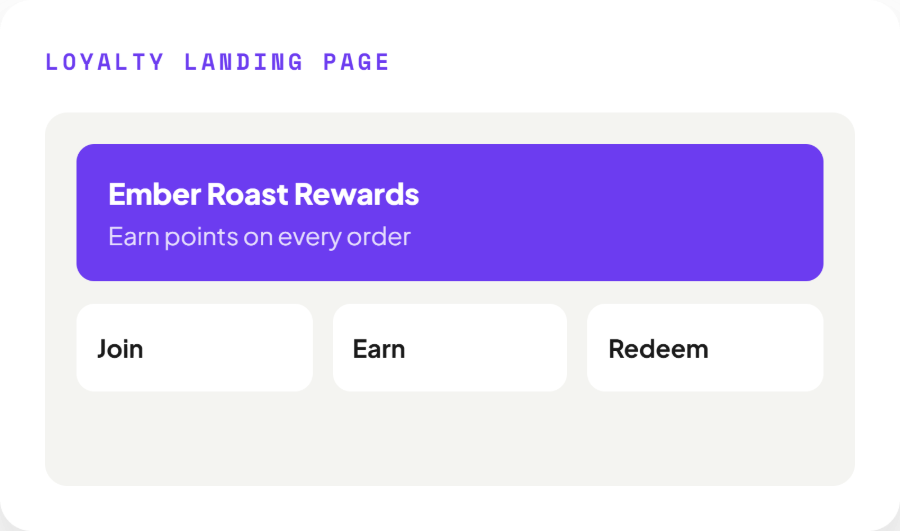
A loyalty landing page headed Ember Roast Rewards with join, earn and redeem panels
Loyalty landing page
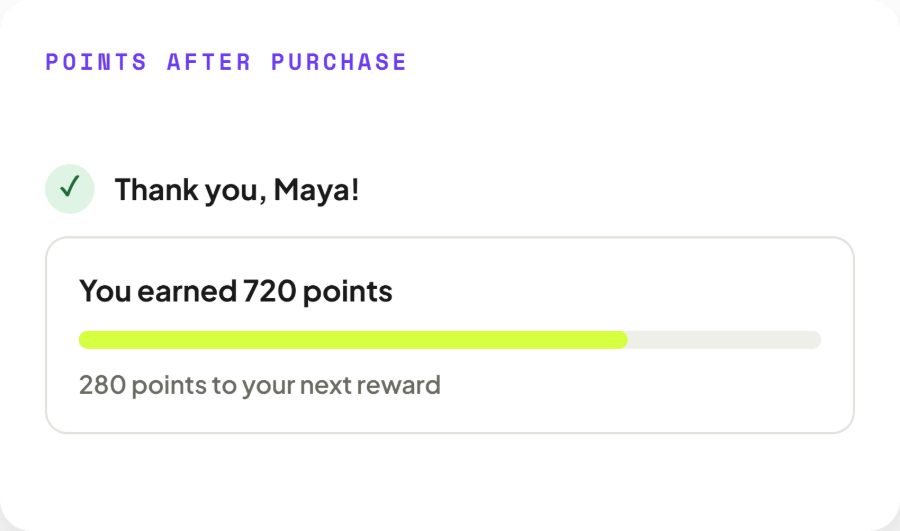
A post-purchase message reading Thank you, Maya — you earned 720 points, with 280 points to the next reward
Points after purchase
06

Analytics

See exactly what loyalty earns you.

Referral revenue, referred orders, points redeemed and repeat rate, each against the previous period. Weekly revenue from referrals, your top advocates by referral count, and the share of referrals that convert — all in one dashboard inside Shopify admin.
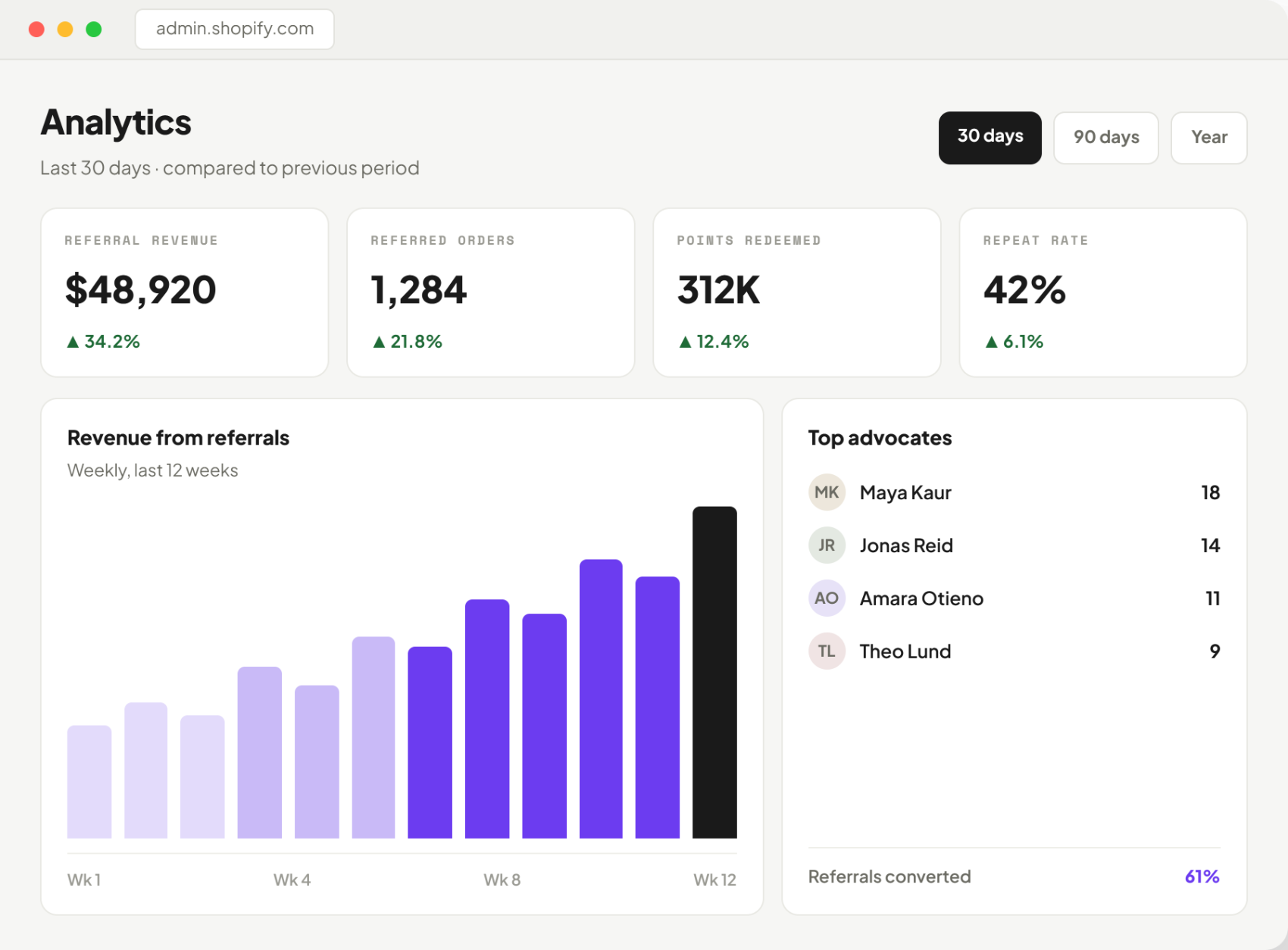
An analytics dashboard showing $48,920 referral revenue up 34.2%, 1,284 referred orders, 312K points redeemed and a 42% repeat rate, with a weekly revenue chart and a list of top advocates
Sample data shown.

07 — Customization

Styled to match your brand

Text, colours, logos, icons, labels, buttons, sizes, layout and positioning are yours to set, so the rewards page reads like the rest of your store rather than a third-party tool bolted on.
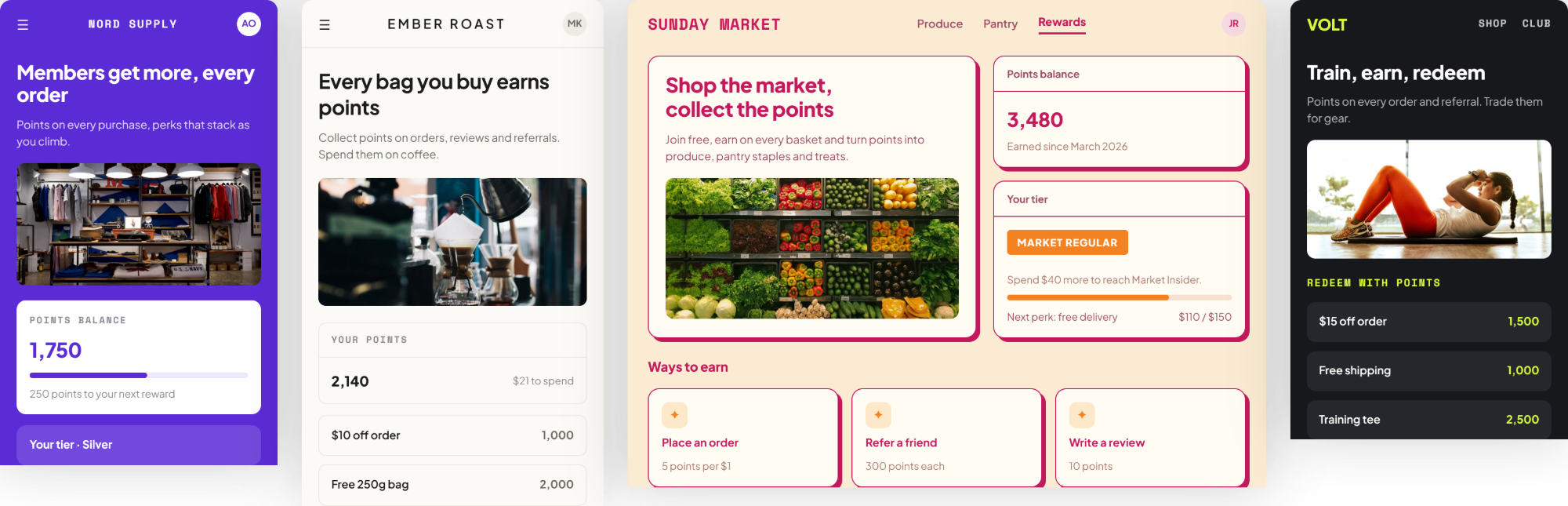
Four storefront rewards pages in different brand styles — a purple Nord Supply page, a light Ember Roast page, a cream Sunday Market page and a dark Volt page

The same program in four different stores.

The journey

From first sign-up to brand advocate

Each step gives a customer a reason to take the next one.

01

Sign up and earn the first points

02

Place orders and engage with the brand

03

Unlock more ways to earn

04

Redeem points for discounts, products or free shipping

05

Refer friends and earn rewards

06

Progress through VIP tiers

07

Unlock exclusive perks and benefits

08

Become a loyal customer and brand advocate

At a glance

What you get

Customizable referral programsRewards for referrer and friendStorefront referral popupPost-purchase referralsWhatsApp, Facebook, X, email sharingLoyalty pointsMultiple ways to earnCustom earning methodsEditable point valuesPercentage discountsFixed-amount discountsFree productsFree shippingCustom redemption rewardsVIP tiersPoints or spending qualificationExclusive tier benefitsCustomer loyalty managementLoyalty button & panelProduct, cart & account placementsLoyalty landing pagePoints after purchaseAnalytics dashboardPoint expiration & program datesFull branding controlNo coding required

Built for

Stores that want customers to return

Any Shopify store that would rather grow through repeat purchases and recommendations than through discounting to strangers.

Shopify merchantsDTC brandsCoffee & foodFashion & apparelBeautySupplementsHome & décorSubscription storesSpecialist retailersGeneral eCommerce

How it works

Live in minutes, no code

Install, pick your rewards and publish. The widget appears on your storefront with your theme already applied.

1 30 SEC

Install the app

One click from the Shopify App Store. No theme edits, no scripts.

2 5 MIN

Choose how points work

Turn on ways to earn and redeem, set the values, add VIP tiers.

3 1 MIN

Publish to your store

Pick your placements and go live. Colours follow your theme.

Give customers a reason to return.

Launching on the Shopify App Store on October 19, 2026. Until then, the live Referral Program app covers post-purchase referrals. Read the privacy policy for this app.

Try Referral Program now