




Why this app
Online shoppers hesitate
They add a product to the cart, compare alternatives, or simply postpone the decision. Strategically placed urgency and scarcity messages give customers the extra motivation they need to complete their purchase.
Low Stock Notifications
Turn limited inventory into purchase urgency.
Show customers when a product has limited inventory remaining. Low-stock notifications appear directly on the product page and let shoppers know an item may not be available for long. Merchants can customize the message and presentation to fit their brand.


Real widgets from the app — message, icon, colour and layout are all yours to set.
Countdown Timer
Give customers a reason to act now.
Countdown timers create a visual sense of urgency by showing customers that they have a limited amount of time to take advantage of an offer. Instead of simply telling shoppers an offer is ending, make the remaining time visible and easy to understand.



A sale deadline, a free-shipping window, a reserved cart — each with its own copy, icon and palette.
Progress Bars
Make inventory scarcity visual.
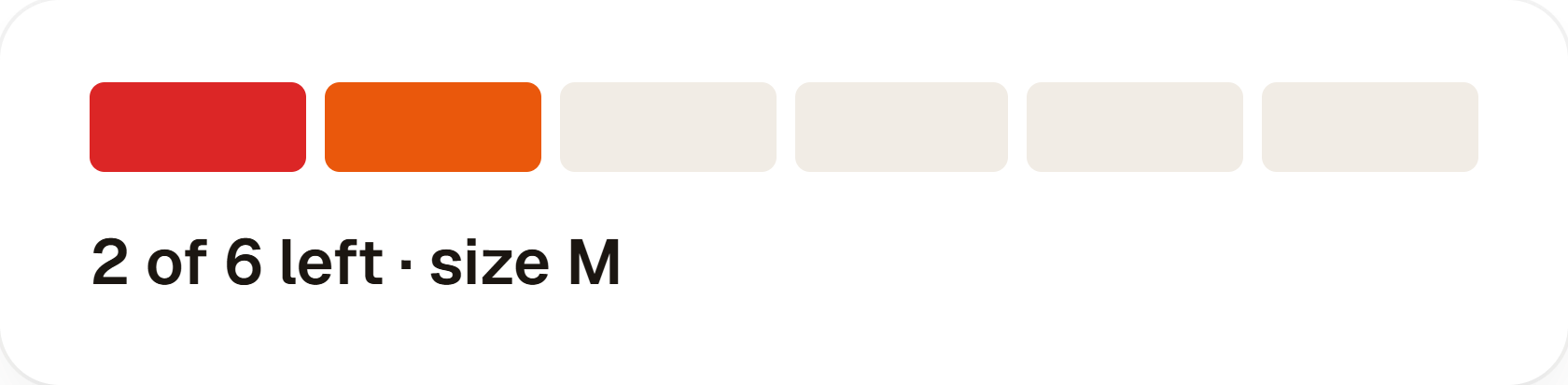
A progress bar makes low inventory easier for shoppers to understand at a glance. Instead of displaying only a message, combine it with a visual inventory indicator — and match the bar to your storefront.



Fill style, segments, colour, height and the supporting label are all configurable.
Product Page Urgency
Put urgency where purchase decisions happen.
Place urgency elements around the key areas of the product page — below the price, around the product information, below the buy box, or next to the Add to Cart button. Different stores have different layouts, so the order is yours to choose.
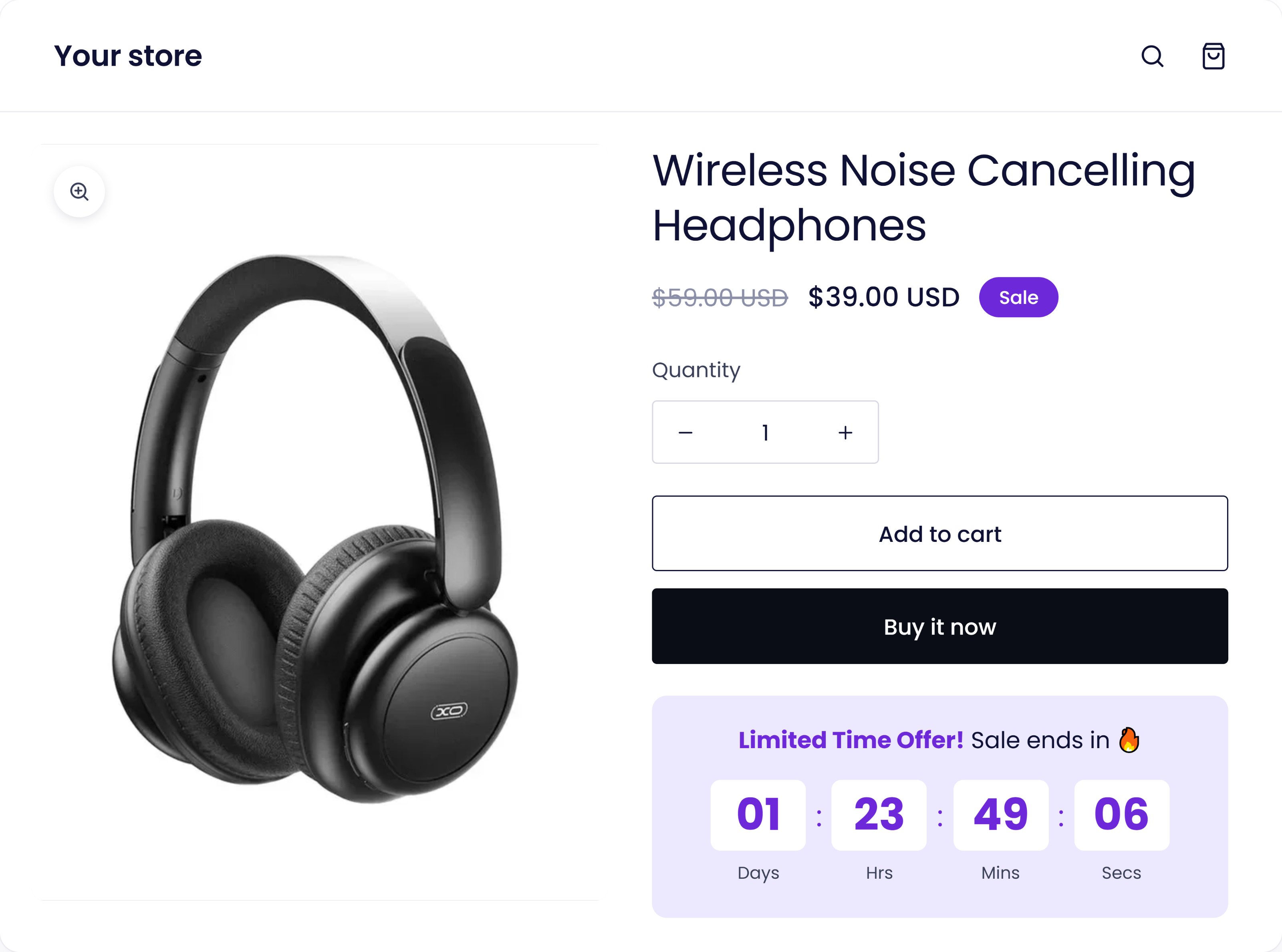
Below the price, beside Add to Cart, under the buy box — you choose the position.
05 — Smart targeting
Let your inventory drive the message
Low-stock messaging can be connected to product inventory, so a message appears only when stock reaches a threshold you choose. No unnecessary scarcity on products with plenty of inventory.
10
items left
5
items left
3
items left
1
item left
Show only for low-stock products · hide when stock is sufficient · target selected products · control placement and visibility.
06 — Your store, your brand
Urgency that looks like part of your storefront
Urgency elements shouldn't make a store look like it is using a third-party app. Every element can be matched to your brand colours, typography, buttons and product-page design.
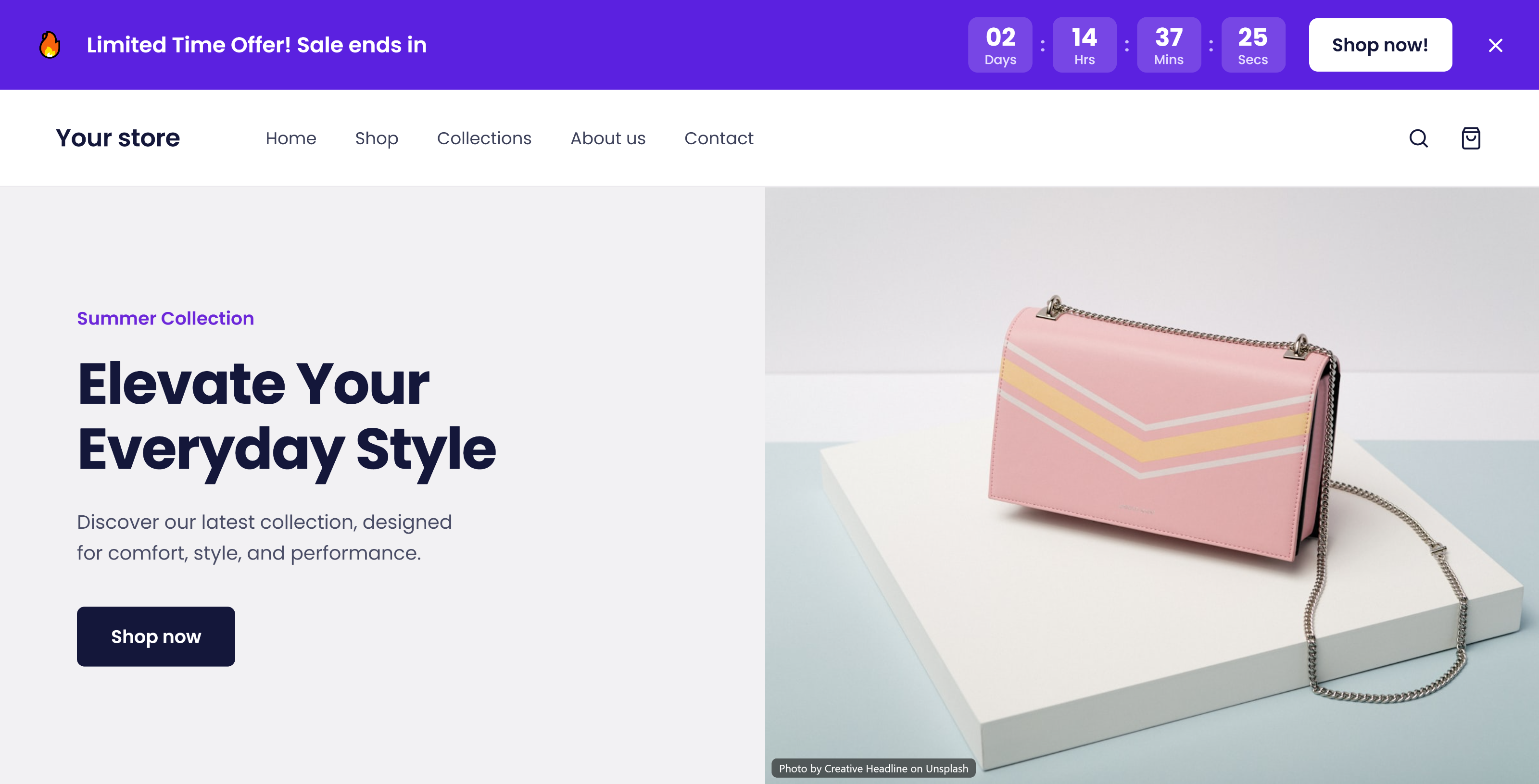
A sticky announcement bar running above a live storefront.
Key features
Everything in one app
Low Stock Alerts
Display customizable messages when products have limited inventory.
Countdown Timers
Create time-based urgency for promotions, sales and limited-time offers.
Inventory-Based Messaging
Use stock levels to determine when low-stock messaging should appear.
Progress Bars
Visually communicate remaining inventory with customizable indicators.
Custom Messages
Write urgency messages that match your brand voice.
Flexible Placement
Position urgency elements around important product-page areas.
Full Customization
Customize colors, typography, icons, spacing, sizing, borders and more.
Visibility Controls
Control when and where urgency elements are displayed.
No Coding Required
Configure the app without needing to edit theme code manually.
The complete urgency experience
From interest to purchase decision
Multiple conversion-focused elements working together, giving customers clear reasons to act instead of postponing their purchase.
Product interest
A shopper lands on the product page.
Low stock notification
"Only 4 items left!"
Visual scarcity
An inventory progress bar makes it concrete.
Time-based urgency
"Offer ends in 02:14:36"
Purchase decision
Add to Cart.
Built for
Stores of every kind
Whether a merchant sells one product or thousands, urgency helps make purchase decisions faster.
How it works
Simple setup. No coding required.
STEP 01
Install
Add the app to your store from the Shopify App Store.
STEP 02
Configure
Set your stock thresholds, messages and targeting rules.
STEP 03
Customize
Match colours, typography, placement and layout to your theme.
STEP 04
Activate
Go live — urgency elements appear on your product pages.
Create urgency. Reduce hesitation. Encourage customers to buy now.
Turn limited stock and limited time into more opportunities to convert. Read the privacy policy for this app.